
Self-serve loaning keeps lines moving and frees up your team. But it also removes a critical checkpoint: the moment someone confirms a device is actually back and charging.
Because returns happen at the locker, admins don’t always get an immediate signal that something went wrong.
In the end-of-day rush, users drop devices quickly and sometimes don’t connect power. The next borrower opens the bay and finds a flat battery.
Worse, without visibility, an uncharged device can end up back in circulation.
That’s why we’re introducing Loan Plug-in Alerts.
What Loan Plug-in Alerts are and how they work
Loan Plug-in Alerts detects when a returned loan device isn’t connected to power, alerts admins, and automatically marks the device Unavailable until it’s plugged in — so only ready-to-use loaners go back into circulation.
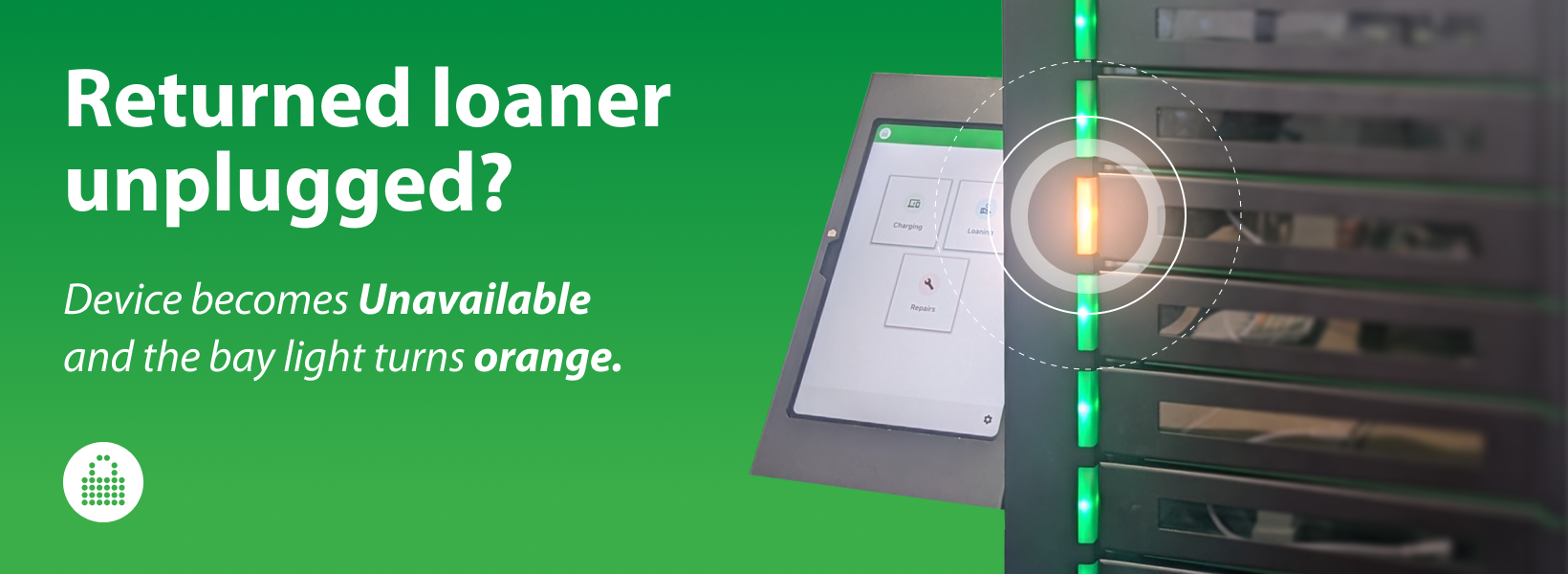
It also provides clear, immediate signals when a return doesn’t look right: the bay light turns orange, and admins receive an email alert so they can act quickly.
This level of device awareness matters in any self-serve environment — schools, campuses, and workplaces alike. When returns happen quickly and without staff oversight, it’s easy for someone to close a bay without actually returning the device or plugging it in.
For example, if a student returns a book instead of a device and closes the bay, your team is notified immediately — so you can quickly verify whether the device was actually returned and plugged in.
New to self-serve loaning? See how FUYL loan workflows keep devices moving without the bottlenecks.
Why device awareness matters in self-serve loans
In a staffed checkout, someone can verify three things in seconds:
- The device is actually back
- It’s in the right bay
- It’s charging
In self-serve returns, that checkpoint disappears — and small misses turn into real device chaos.
Loan Plug-in Alerts brings that missing visibility back at the exact moment it matters: return time.
If a user closes the bay without plugging in power, FUYL flags it immediately, not hours later.
How it works
Loan Plug-in Alerts applies exclusively to loan workflows — because that’s where readiness is most likely to slip.
Returns happen fast, they’re often self-serve, and the next borrower depends on that device being charged. That’s why Loan Plug-in Alerts focuses on loan returns — the point where a missed plug-in turns into a bad handoff.
Here’s how it works:
1. Enable Loan Plug-in Alerts in the loan workflow settings
Admins can turn on Loan Plug-in Alerts using two separate toggles in loan workflow settings:
- Make device unavailable: If a returned device isn’t plugged in, FUYL automatically marks it Unavailable so it can’t be loaned again.
- Email alert: Sends an email notification when a device is returned unplugged.
Most teams will enable both: block the bad loan and notify staff.
2. See unplugged devices in the Portal and at the locker
We’ve built the visibility in so admins can catch issues whether they’re working in the Portal, standing at the locker, or checking their inbox on the go.
- In the Portal: The device shows as Unavailable, with a tooltip indicating it’s not plugged in. This prevents it from being loaned again until it’s charging.
- At the smart locker: The bay light turns orange, making the issue obvious on-site without logging in.
- By email (if enabled): The alert includes the smart locker, device, and user details so you can act quickly.
3. Fix it and move on
From the kiosk, the admin logs into the Admin Menu, opens View Tower, and finds the bay showing the unplugged alert.
Tap Unlock, plug in the device, and the alert clears automatically as soon as charging is detected — the device becomes Available again for the next user. The bay light will switch from orange back to green once the page is saved.
Because loan devices are loaned out based on total charge time, the charge timer starts when the admin plugs the device in (not when the user closed the bay).
Note: Loan Plug-in Alerts is available on FUYL Pro (USB-C) only (not supported on FUYL mk2).
Getting started
Turn it on, set your recipients, and you’re ready:
- Confirm the right admins are set up to receive loan alerts.
- When an unplugged return happens, you’ll see it right away — at the locker and in the Portal.
- In View Tower, unlock the bay and plug in the device. The alert clears automatically once it’s charging, and the device is ready for the next borrower.
Rolling out lockers across multiple sites? Read the deployments workflow guide for smoother setup and rollout.
See it in action
Want to see Loan Plug-in Alerts in your workflow — or confirm whether your lockers support it? Contact your LocknCharge representative to schedule a demo.
Author


.png)
