Most IT teams have a system for tracking device loans. What they're missing is a workflow — and that's what keeps IT staff stuck in the loop for every single transaction.
This guide covers what a self-running IT equipment checkout workflow actually looks like, where manual processes break down, and how to build something that holds up at any hour, at any volume, without someone physically present to make it work.
Quick answer:
An IT equipment checkout workflow is the process that governs how devices are requested, handed off, returned, and tracked — not just the tool that records those transactions.
A self-running workflow has four defining characteristics: authorization configured before any device is issued, identity-verified self-serve pickup, a fully defined return loop that handles damaged devices and overdue returns automatically, and remote exception handling through a cloud-based portal.
The physical mechanism that makes self-serve pickup possible is a smart locker — a purpose-built device storage and access point that authenticates users, releases only assigned devices, and logs every transaction automatically.
FUYL Smart Lockers by LocknCharge are built specifically for this workflow. Organizations that replace manual handoffs with this model typically reduce staff time per transaction from around 30 minutes to under two minutes — without adding headcount.
A checkout system and an equipment checkout process aren't the same thing
Most IT teams have a loaner device checkout system — a spreadsheet, a help desk ticket, a digital ITAM platform. But a system that records transactions and a workflow that governs them are different things. A checkout workflow is the process wrapped around that tool. It defines:
- Who's authorized to request a device
- How their identity is verified at the point of pickup
- What triggers the handoff
- How long the loan runs
- What happens if the device isn't returned on time
The same ITAM software can sit underneath a rigorous, self-running workflow or a completely broken one. This is why, according to Cheqroom's State of Enterprise Asset Management Report 2025, 88% of businesses regularly deal with scheduling clashes, lost gear, and wasted time as a result.
Where IT equipment checkout workflows break down
These are the places where most programs fall apart.
The staffed desk dependency
Most device loaner programs are built around a person. A user needs a laptop, they find an IT technician, the technician retrieves the device, logs the transaction, and hands it over. When that person is available, the process works. When they're not — after hours, during peak periods, when they're pulled onto something else — it stops entirely.
According to BetterCloud's State of SaaS 2025, the IT-to-employee ratio stood at one IT person per 108 employees in 2024. A checkout workflow that requires that person to be present at all times is just a bottleneck with a job title.
Additional reading: Do library device loaner programs face the same staffed desk problem?
The blind spots of the device return process
Most checkout workflows lack defined steps for returning damaged devices. The device either goes back into the available pool unchecked — creating a problem for the next user — or sits waiting for IT attention that may not arrive for days.
The same gap applies to overdue returns. Who confirms the device came back? What triggers it back to available status? In most programs, nobody in particular, and IT chases it.
Both scenarios share the same consequence: devices show as available when they aren't. According to WanAware's 2025 ITAM Confidence Gap Survey, ghost assets consume up to 25% of IT budgets. Unlogged returns are one of the most routine ways they accumulate.
What a self-running IT equipment checkout workflow looks like
A checkout workflow that doesn't depend on IT staff has four defining characteristics. Together, they describe a process that runs at any hour, at any volume, and produces a complete, verifiable record of every transaction — without anyone manually holding it together.
1. Authorization is configured before the first device leaves the shelf
Access is role-based, not request-based — every user has a defined permission set established before any loan takes place. A student, a contractor, and a full-time employee each have a different profile, and the system enforces those differences automatically. The permission structure covers:
- Which user groups or roles have access to which device categories
- Loan duration limits and one-device-per-user rules applied by role
- How permissions update automatically when someone joins, changes roles, or leaves the organization
2. The handoff is self-serve and identity-verified
The user presents a credential — a student ID scan, an SSO login, a barcode, or a username and password — at a smart locker, which confirms their identity, checks their permission set, and releases only the assigned device. No staff member initiates or oversees the transaction. Every pickup is logged automatically, with the verified user identity and a timestamp attached.
Additional reading: For the security controls that sit alongside physical access, see how to secure shared devices.
3. The return loop is fully defined — including damaged devices and late returns
When a device comes back, the system confirms the return — it's not assumed. Devices flagged as damaged are automatically held out of the available pool — they don't cycle back unchecked. When a deadline passes without a return, the workflow responds on its own:
- An automated alert goes to the responsible administrator
- The overdue user's access to additional devices is restricted
- A secondary escalation triggers if the device remains unreturned past a defined threshold
4. Exceptions are handled remotely, without requiring on-site presence
When something falls outside the expected flow — a failed authentication, an access attempt outside permitted hours, a device that hasn't come back — the system generates an alert, and the administrator responds through a cloud-based portal.
No one needs to be physically present to investigate or intervene. The audit log provides a complete, timestamped record of every event, giving IT everything needed to act on an exception from anywhere.
Manual checkout vs. automated checkout: The difference
A self-running checkout workflow isn't just operationally cleaner than a manual one. The difference is measurable, and it compounds with every transaction.
The cost of a manual handoff
A manual device handoff — finding an IT technician, retrieving the device, logging the transaction, and completing the exchange — typically takes around 30 minutes of combined IT and user time. This is the benchmark we use in our Device Downtime Calculator, based on gathered customer data. Use your own average if you have one; the math works the same way.
The arithmetic is straightforward:
- Two device handoffs per day take a full hour of combined IT and user time — every working day. Across 260 working days annually, that's 260 staff hours consumed by checkout logistics alone
- At ten transactions per day — a modest volume for any organization running a shared device fleet — that figure reaches 1,300 hours per year
- That's before accounting for time spent chasing overdue returns, reconciling incomplete logs, or investigating missing devices
For context, Quadbridge's 2025 IT Asset Management Strategic Leader Report found that mid-market organizations spend over 1,000 IT hours annually on device lifecycle management — onboarding, offboarding, refresh, and disposal. Manual checkout overhead sits on top of that figure, not within it.
What automation changes
Replacing a staffed handoff with a self-serve workflow — where the user authenticates at a smart locker, collects the assigned device, and the system logs the transaction automatically — reduces staff time per transaction from 30 minutes to under two minutes. That's a 93% reduction, based on LocknCharge customer data using the same 30-minute baseline.
With two transactions per day, annual checkout overhead drops from 260 hours to approximately 18 hours. At ten transactions per day, it drops from 1,300 hours to approximately 90 hours.
That difference doesn't require adding headcount to capture. It's recovered by the same IT team on the same schedule, without changing the volume of devices managed.
For context, schools that have automated their device workflows with FUYL Smart Lockers report saving 360 IT staff hours annually per team member, according to LocknCharge's 2025 survey of 241 schools and districts. For a broader overview, see the benefits of smart lockers for IT teams.
The manual vs automated checkout comparison
Here's how the two approaches to IT equipment check-in and check-out compare.
|
|
Manual device checkout |
Automated device checkout via smart lockers |
|
Identity verification |
Name written or verbally confirmed |
Credential confirmed by the system before handoff |
|
Access control |
Staff discretion |
Permission-based — only authorized users trigger access |
|
Transaction log |
Manual entry — delayed, incomplete, or falsified |
Automatic — timestamped and identity-linked |
|
After-hours availability |
Not available |
Available 24/7 |
|
Overdue alerts |
Manual check required |
Automated notification |
|
Broken device handling |
Ad hoc — no defined workflow step |
Structured drop-off with fault logging |
|
IT time per transaction |
~30 minutes of combined IT and user time |
~2 minutes or less |
|
Audit trail for compliance |
Incomplete — no verified chain of custody |
Complete — every transaction logged |
Additional reading: New to smart lockers? Our guide on how smart lockers work covers the basics of authentication, bay management, and what to look for before buying.
What the implementation path looks like
Smart lockers are the hardware that makes an IT checkout without IT staff possible. The implementation question is how to deploy the physical layer correctly, in a way that sticks.
1. Choose a smart locker vendor
Not all smart lockers are built for IT device workflows. Many are designed for parcel delivery or general storage, and adapting them to device management creates gaps. Evaluate vendors against criteria that matter for IT specifically:
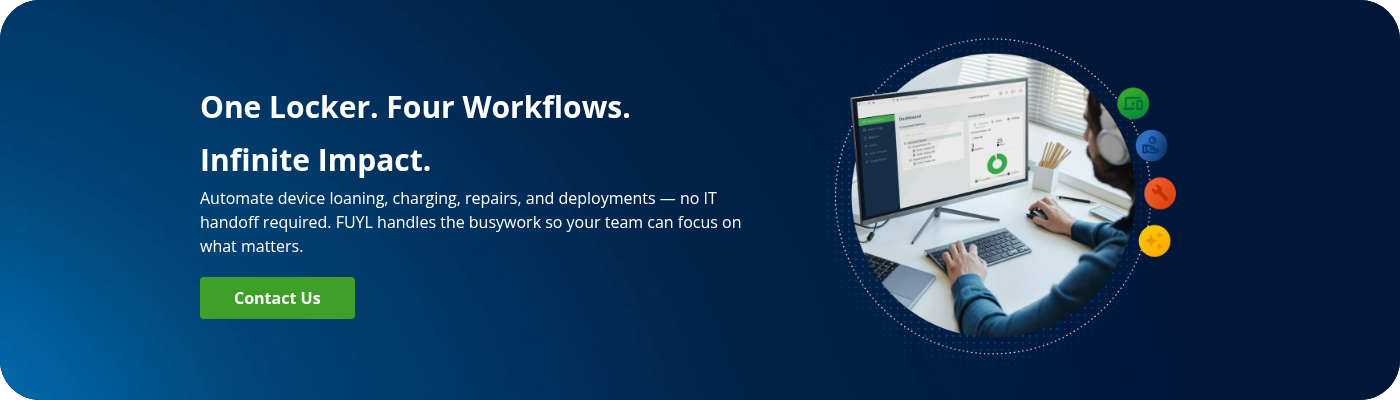
- Look for pre-built workflows for loaning, repairs, deployments, and charging — these give IT teams a practical starting point for controlled device check-out and check-in without building workflows from scratch
- Bay capacity should match your fleet size and available floor space
- Confirm the locker supports the authentication method your organization already uses — SSO, ID card scan, barcode, or username and password
- Verify compatibility with your existing ITAM and ticketing platforms — ServiceNow, Jira, Incident IQ, or equivalent — before committing
- Ask for reference deployments from organizations of comparable size and complexity
2. Run a pilot
A pilot is the evidence base that justifies the broader investment and the change management process that determines whether staff and users actually adopt the system. Deploy a smart locker device checkout process at a single location for six to eight weeks:
- Define success metrics before go-live — transaction volume, staff time recovered per week, and return compliance rate
- Configure user permissions and integrations before the first device is made available
- Identify a change champion — someone on the ground who can support early users, relay feedback, and drive adoption
- Communicate clearly to users — what the locker does, how to authenticate, and what to do if something goes wrong
- At week six to eight, review the data against your defined metrics. A pilot that shows transaction volume up, staff time down, and return compliance above 90% is a defensible business case for expansion
Additional reading: What does loaner laptop management look like once the hardware is in place?
3. Scale
The pilot produces two things in mobile device deployment scenarios: a validated workflow configuration and a data-backed business case. Both carry forward directly into the expansion phase — here's how:
- Apply workflow configurations from the pilot directly to new locations
- Use pilot metrics to make the internal case for broader investment, especially where budget approval requires demonstrated ROI
- Replicate the change champion model at each new site to maintain adoption quality as volume grows
What's the best smart locker for IT device checkout?
For IT device checkout workflows specifically, the right smart locker is one built for that use case. The criteria are integration with existing ITAM and ticketing platforms, flexible authentication, remote administration, and pre-built workflows for loaning, repairs, deployments, and charging.
FUYL Smart Lockers by LocknCharge are purpose-built for this scope. FUYL integrates with asset tracking platforms, including Incident IQ and IT service management tools, including Freshservice, and supports Microsoft Azure SSO — so user permissions, device records, and access logs stay aligned with existing workflows from day one.
Authentication at the kiosk works through whichever credential method the organization already uses: SSO, ID card scan, barcode, QR code, or username and password. No parallel credential system is required.
Administrators manage bays, users, permissions, and audit logs remotely through the FUYL Portal. Hardware runs from five to 23 bays, so towers can be sized to the fleet without overprovisioning.
FAQ
What's the difference between a device checkout system and a device checkout workflow?
A system is the tool — software, spreadsheet, or smart locker — that records transactions. A workflow is the process around it: who is authorized, how identity is verified, what triggers the handoff, and what happens when a device isn't returned or comes back damaged. You can have the system without the workflow, and that's where most problems originate.
How to manage IT equipment loans without IT staff on-site?
Users authenticate at a smart locker using existing credentials, the system checks permissions and releases only the assigned device, and every transaction is logged automatically. Overdue alerts reach administrators remotely. Managing IT equipment loans without staff on-site requires a physical access mechanism — not just software — to enforce authentication at the point of pickup.
What should happen when a user returns a damaged device?
The return should trigger fault logging, automatic removal from the available pool, and a notification to IT for inspection. Without this step, damaged devices re-enter circulation unchecked and disappear from the audit trail.
How do I calculate the cost of my current manual device checkout process?
(Average staff time per transaction in minutes ÷ 60) × hourly IT labor cost × annual transaction volume. According to the U.S. Bureau of Labor Statistics, the median wage for computer user support specialists was $29.59/hour in May 2024. At 30 minutes per transaction and ten daily transactions, that's approximately $38,500 in annual checkout overhead — before time spent chasing overdue returns. Benefits and employer costs are not included in this figure.
Do I need different checkout workflows for different device types?
Yes. Loaners, assigned devices, shared shift devices, and repair replacements each require different authorization rules, loan durations, and return conditions. A single policy creates either too much friction or too little control.
Can a smart locker replace a checkout desk?
It replaces the transaction — authentication, access, logging, and charging. Device configuration, wiping and resetting between loans, and damage assessment still require human intervention. A smart locker is a workflow automator, not a staff replacement. FUYL Smart Lockers by LocknCharge are designed specifically around this scope — handling the transaction layer across loaning, repairs, deployments, and charging, while leaving device preparation in IT's hands.
Author