At Hudsonville High School in Michigan, supporting student devices is a daily, building-wide responsibility. The school serves about 2,200 students in grades nine through 12, and every student is assigned a Chromebook to use at school and at home.
Christopher Morse, one of the school’s tech specialists, helps keep that environment running. His role includes Chromebook repairs, teacher device support, and day-to-day troubleshooting across the high school.
Like many K–12 IT roles, no two days look the same for Christopher:
“You never know what the next day is going to bring. Either it’s going to be a total meltdown and there’s going to be fires all over the place, or it’s going to be a really chill day.”
What stayed consistent was the need for loaner devices. Every day, students needed temporary access to a Chromebook because they forgot one, had a broken device, or needed a quick way to get back to class.
Over time, that process created more work for Christopher, more interruptions for staff, and more friction for students than the school wanted.
The challenge
Before LocknCharge, Hudsonville High School handled loaners through the Media Center. That made sense at first, since Media Center staff were usually available while Christopher could be elsewhere in the building. But as loaner demand continued, the process became harder to manage.
When Christopher first started, it was not unusual to see 10 to 15 loaners checked out in a day just for forgotten devices. After the school tightened its loaner policies, that dropped to about five or six a day, with predictable spikes during final exams, at the start of a trimester, and at the beginning of the school year.
The bigger problem was the workflow behind those checkouts. Over time, Hudsonville used a spreadsheet, a Google Form kiosk, Incident IQ, and sometimes multiple systems at once. Christopher needed more than a faster handoff. He needed better visibility into how many loaners were out, whether students had checked out multiple devices, and whether there were patterns in usage.
Before the smart lockers, even a single checkout could take two to three minutes using a spreadsheet alone, with another two to three minutes added when multiple systems were involved. Christopher then had to spend part of every morning checking email, reviewing records, and looking through Incident IQ to figure out what was still out and what needed follow-up. That daily review used to take 30 to 45 minutes every morning.
At the same time, the burden on the Media Center kept growing. The tipping point came when the school lost a Media Center staff member.
“One of the Media Center staff found a different job, and we were down a Media Center specialist. That was when we said, ‘We don’t know how soon we’re going to get somebody, but we should really look at doing this automation instead because it would free up a lot of work in the Media Center.’”
The rollout
Christopher had known about LocknCharge for a few years, but Hudsonville only revisited the idea once loaner management became difficult to sustain through the Media Center.
The school began with one FUYL Smart Locker at the start of the school year. It quickly became clear that a single unit was not enough for a building that size, so Hudsonville added a second 15-bay smart charging locker right before Christmas break, during the following trimester.
The lockers are used primarily by students. Staff can access them as well, but that happens infrequently since the district is largely an all-Mac environment and most staff would rather find another Mac than use a Chromebook.
The outcome
For Hudsonville, the biggest improvements showed up in the day-to-day work — less manual follow-up for IT, a more consistent experience for students, and better visibility into how loaners were actually being used.
1. Faster oversight for IT
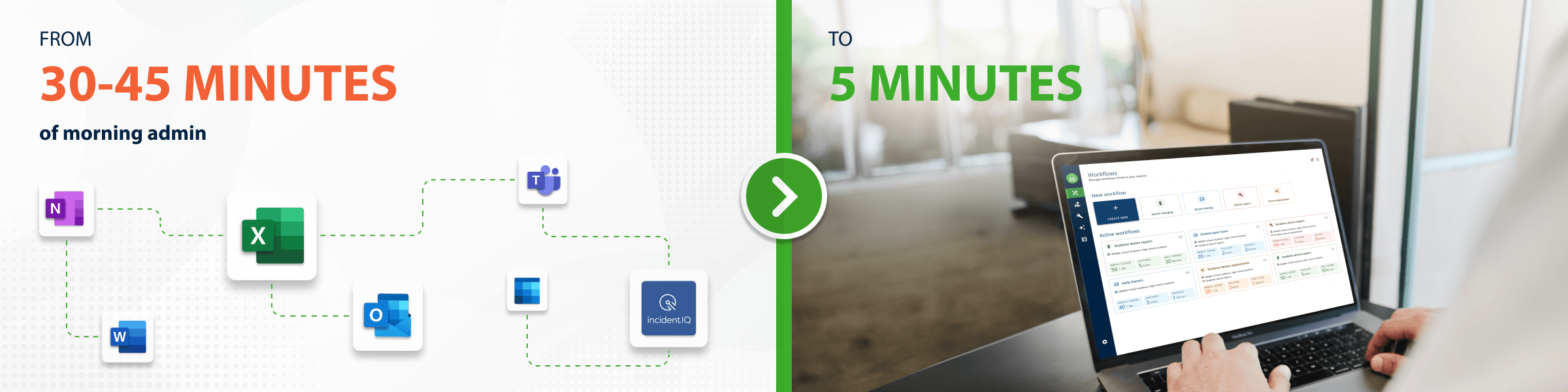
Before FUYL Smart Lockers, Christopher spent 30 to 45 minutes every morning reviewing email, checking spreadsheets or Incident IQ, and figuring out which devices were overdue, which students needed follow-up, and whether any devices needed to be disabled. Now, he starts the day in FUYL and can review the same information in about five minutes.
For an IT specialist supporting around 2,200 students, that shift turned loaner management from a manual morning task into a quick daily check.
When asked what he does with the extra time, Christopher joked that he now gets to enjoy his morning coffee. More importantly, he said the time has allowed him to focus on other priorities, including supporting SmartPass, the school’s digital hall pass system, and taking on additional projects around the building.
2. A more consistent student loaner process
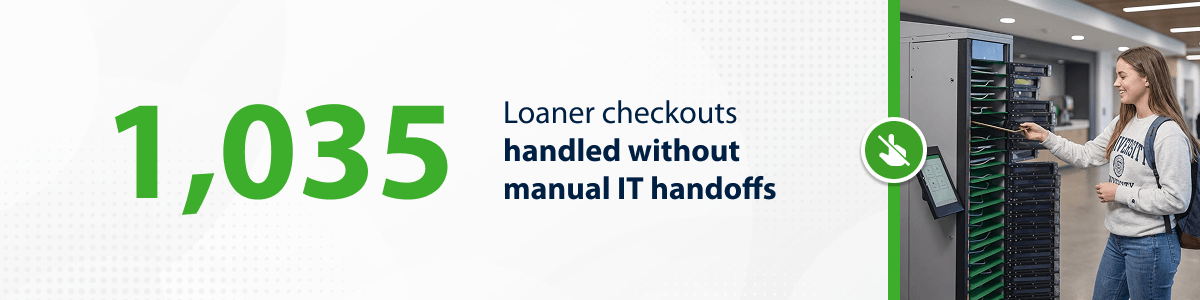
The lockers have given students a clear, known place to go when they need a loaner or need to start a broken-device workflow. That has made device access more consistent across a large high school and less dependent on whether Christopher or Media Center staff are immediately available.
The numbers show how active that system is. At the time of the interview, Hudsonville had recorded about 1,035 total checkouts for the year and was averaging around 6.6 loaner checkouts a day. Only 55 checkouts, or 5.31%, were tied to broken devices, showing that most demand was driven by day-to-day loaner needs rather than repairs.
3. A setup built for daily use and stronger policy control
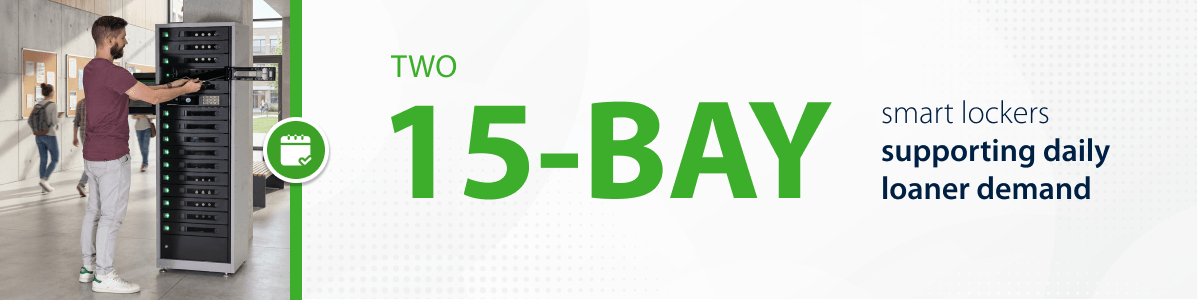
Hudsonville now uses two 15-bay smart lockers.
One smart locker is located near Christopher’s office. It is configured with 10 loaner devices, while the remaining bays are used for broken-device workflows.
The second smart charging locker is located on the other side of campus and is used only for loaners.
At the time of the interview, the main challenge that remained was late returns, with devices returned late 26.6% of the time. Even so, the setup gives Christopher far more visibility than before. He can quickly see what is overdue, what is broken, and where follow-up is needed — without digging through multiple systems.
Features that made the biggest difference
Beyond the time savings, one of the biggest day-to-day benefits for Christopher has been faster visibility into device activity and easier reporting.
Instead of digging through spreadsheets or piecing together information from multiple systems, he can now open FUYL Portal and quickly see which devices are overdue, which have been reported broken, and where follow-up is needed. That visibility was one of the main reasons Hudsonville moved to a smarter loaner process in the first place.
Reporting remains one of the biggest advantages in Christopher’s daily work. It gives him a clearer picture of how loaners are being used and makes it easier to support the school’s stricter loaner policy, which limits students to six loaners per trimester.
Christopher also noted that the platform has continued to improve after purchase, with new features giving the school more flexibility as its workflow has evolved.
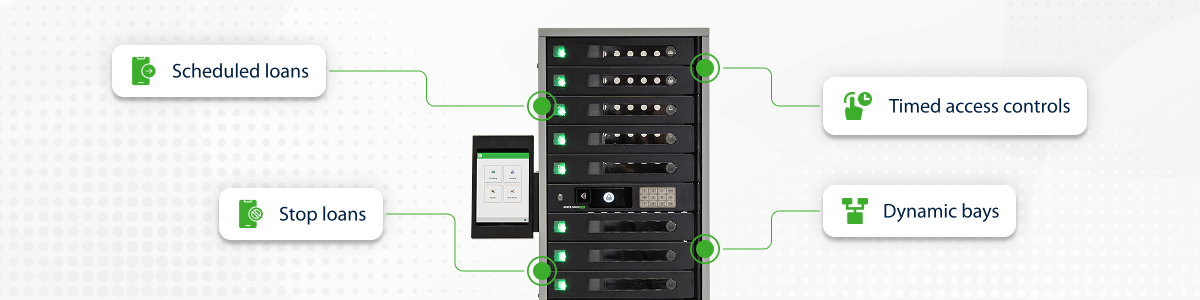
A few features have stood out in particular:
- Stop loans. The ability to stop loans helps correct cases where a student checks out a device in the system but does not actually take one. That makes troubleshooting much easier and helps keep records more accurate.
- Scheduled loans. Scheduled loans have also helped the school manage device access more predictably.
- Dynamic bays. This was one of the biggest improvements for Hudsonville’s setup. Before this feature, some bays had to stay reserved for broken devices while others were tied to loaners, which made the configuration less flexible. With a more dynamic approach, the school has been able to use locker capacity more efficiently.
- Timed access controls for loaner devices. Hudsonville also set up a separate control process for tower-assigned loaners. Using Incident IQ rules tied to Google OUs, Christopher disables those devices at 3:00 p.m. and re-enables them at 7:00 a.m. That helps keep daily loaners aligned with school hours.
Looking ahead
Instead of spending 45 minutes every morning chasing overdue devices, tracking repeat borrowers, and sorting through loaner data, Christopher now has time to enjoy his morning coffee and focus on more strategic IT priorities.
That includes supporting SmartPass, the school’s digital hall pass system, and other technology projects across the building. That’s the bigger value of FUYL: it not only makes daily device management easier, but also helps IT teams move forward on the work that matters most.
Want to see how FUYL Smart Lockers could work in your school?
Book a discovery and explore the right setup for your device workflows.
Author