For Lacey Merrifield, Technology Director at Bosqueville ISD in Waco, Texas, Chromebook repairs used to take over the day.
With only two people supporting nearly 1,000 students and staff, every broken screen, dead battery, forgotten Chromebook, or missing charger pulled the technology team away from higher-priority work and back to the office.
Three years ago, device management depended on manual handoffs, paper forms, and whether someone from the technology team was available at that exact moment.
Today, the district uses five LocknCharge Smart Lockers for repairs, loaners, and charging. Lacey estimates the smart lockers save her team five to six hours per day — or 25 to 30 hours per week. No wonder she says: “The smart lockers act like a third person for us.”
Background
Lacey leads technology for Bosqueville ISD, a K–12 district in Waco, Texas, serving 725 students and nearly 1,000total users when staff are included. The district is one-to-one, but device use varies by grade level. Students in K–5 use class sets assigned by teachers, while students in grades six through 12 take Chromebooks home.
The most urgent challenge came from grades six through 12. Those students relied on take-home Chromebooks, so a broken, frozen, uncharged, or forgotten device could quickly interrupt the school day.
The challenge
Before LocknCharge, device management was manual from start to finish.
“When I started three years ago, we kept our Chromebooks in cardboard boxes over the summer, and that’s how I had to issue them out and find their chargers in Ziploc baggies,” Lacey said.
Students with broken devices came to Lacey’s office, filled out paper repair forms, and waited for help. If she was fixing a classroom display, checking a computer, working on the network, or helping a teacher, students either waited outside her door or came back during another class period.
The workload became unsustainable fast. Daily Chromebook issues kept pulling the team away from bigger district technology work.
“I was stuck to my desk,” Lacey said.
Instead of moving through the district to support teachers, systems, and infrastructure, the technology team spent most of its time managing broken devices, loaners, and student questions.
Students lost time, too. Before the smart lockers, a student might leave class during first period, miss Lacey, come back during second period, and try again later. Some waited 10 to 20 minutes outside the office during 45-minute classes.
In Texas, missing more than 15 minutes of class can technically count as an absence. For Lacey, that made device access more than an IT issue. It became an instructional time issue.
The district needed a process that didn’t depend on a staff member managing every handoff.
The rollout
Lacey first discovered LocknCharge at a lunch and learn, where she saw a five-bay smart locker. She had already been looking for something better than cardboard boxes — a way to store, charge, update, and prepare Chromebooks so they were ready when students needed them.
The fit was immediate.
“We demoed it, and I bought my first smart locker right after my demo was over,” Lacey said. “That was three years ago. I now have five.”
The rollout grew in phases: one smart locker in the first year, two more the next year, and two additional smart lockers this year. As Chromebook warranties expired and repair volume increased, Lacey needed more loaners available in more places.
Today, Bosqueville ISD uses five smart lockers across different workflows:
- Cafeteria smart locker: Dedicated to charging, so students have a place to power up devices during the school day.
- Middle school smart locker: Supports loaners and repairs for students who rely on take-home Chromebooks.
- High school smart locker #1: Gives students faster access to loaners without sending them back to the technology office.
- High school smart locker #2: Adds more loaner capacity as repairs increase and Chromebook warranties expire.
- Elementary smart locker: Allows teachers to swap devices for students and manage repairs without sending younger students to another building.
The first smart locker started as a repair-and-loaner solution outside Lacey’s office. Before the kiosk was available, she built a simple process around it with printed repair forms, a wall folder, and a large instruction poster. Even with that early manual layer, the locker reduced interruptions right away.
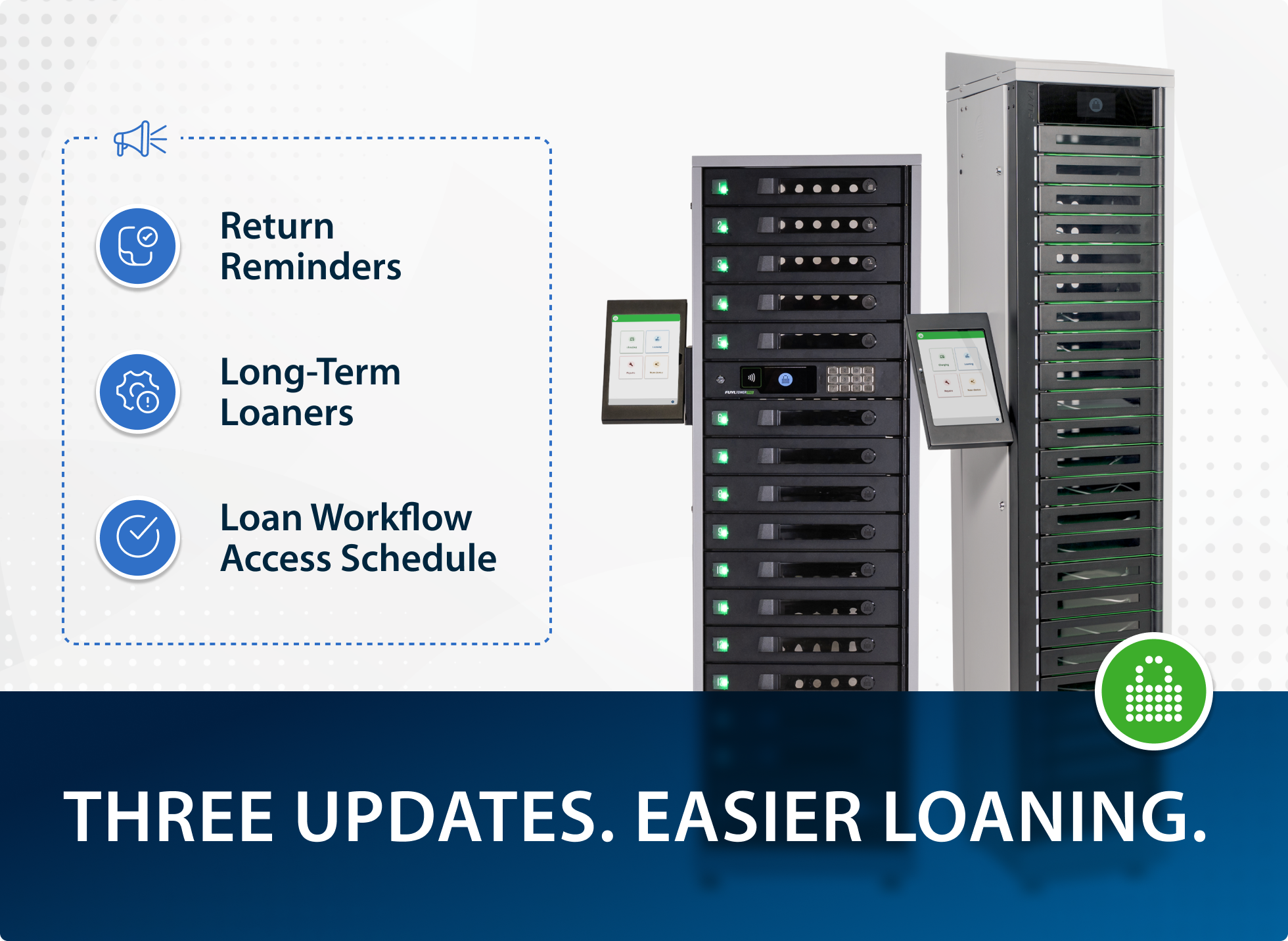
The biggest shift came with the introduction of FUYL Enhanced and the combination of repair and loan workflow. Instead of reporting a repair and checking out a loaner separately, students could complete both steps in one workflow.
The outcome
With FUYL Enhanced in place, Bosqueville ISD moved from a staff-dependent repair process to a self-service system with clearer visibility and control.
Three features made the biggest difference:
- FUYL Enhanced Kiosk: Students can report a device issue, check out a loaner, and return to class without waiting for Lacey or her assistant.
- Reporting: Lacey can track frequent repair issues, spot students with repeated damage, compare paid repairs with warranty repairs, and use the data to plan next year’s budget.
- Overdue loaner tracking: Lacey sets loaners for two weeks so her team knows when to follow up with the repair company and prevent devices from falling out of view.
For students, the impact was simple: they could get a working device faster and return to class.
For the technology team, the smart lockers saved five to six hours per day, or 25 to 30 hours per week. That reclaimed time helped Lacey and her assistant complete higher-value district projects, including:
- Upgrading wireless access points across the district
- Installing a new core switch
- Installing a new server
- Installing a new firewall
- Replacing nine switches
- Upgrading cameras, door access, and guest services
- Improving the school website
- Launching a new school app
Looking ahead
With the daily repair and loaner workflow under control, Lacey is focused on making access even faster and continuing larger infrastructure improvements.
Key priorities include:
- Faster student login: Bosqueville ISD is moving to ClassLink and OneSync, so students can use their six-digit student ID numbers instead of typing full email addresses into the kiosk.
- RFID badge access: The district may also use RFID badges, giving students another familiar way to access devices quickly.
- Student training: Lacey has already used LocknCharge’s step-by-step posters and a student-made video shared through Google Classroom, the school app, and the student toolbox. Next year, theater students will help act out the process in a new training video.
- Infrastructure upgrades: After replacing nine switches, the team has a project planned for 2026–2027 to replace the remaining 28.
Final word
For Lacey Merrifield’s district, LocknCharge smart lockers started as a way to solve a Chromebook repair problem.
Three years later, they support repairs, loaners, charging, reporting, overdue tracking, and student self-service across multiple campuses.
Students no longer have to wait outside the technology office to get help. Teachers can keep class moving. And Lacey’s team has more time for the infrastructure work that keeps the district moving forward.
See how LocknCharge Smart Lockers can help your school simplify repairs, loaners, charging, and other device workflows.
Author