iPad Charging Lockers for Secure & Fast Charging
Give iPads a dependable, locked “home base” that keeps devices charged, protected, and easy to access — without relying on open shelves, loose cables, or manual handoffs.
.png)
Trusted by more than 15,000 organizations and counting








Why Choose iPad Charging Lockers
If you’ve already decided lockers are the right form factor, the goal is simple: secure access, consistent charging, and clear accountability — without adding work for staff.
-
Individual compartments reduce mix-ups and make it easier to assign devices by student, employee, or team.
-
Better security vs carts when devices need to live in hallways, libraries, labs, offices, or other semi-public areas.
-
No cable chaos with clean routing and compartment-based storage that protects connectors and keeps charging consistent.
-
Always-available devices so users can pick up a charged iPad without waiting on IT or operations.
-
Ideal for 1:1 and shared programs where uptime and accountability matter equally.
For buyers searching for an iPad charging locker that supports daily circulation, secure iPad charging lockers are built to keep devices accessible while staying protected.
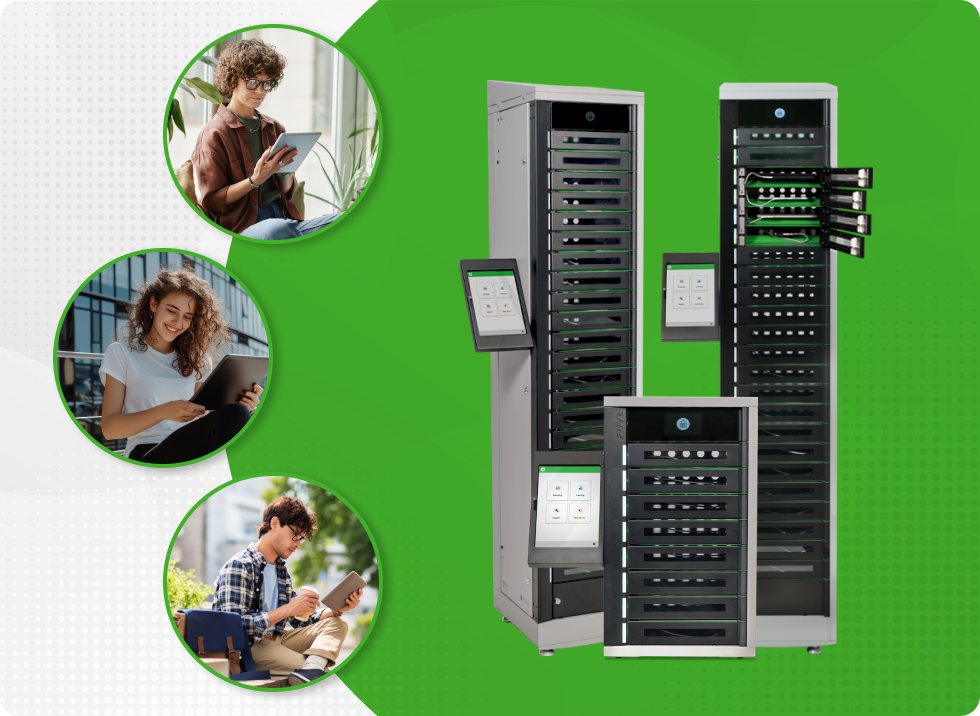
iPad Charging Locker Configurations
The right configuration depends on capacity, charging approach, installation constraints, and how you want users to authenticate.

Flexible cabling options
Standardize around your iPad models and cabling policy without locking yourself in. USB-C supports newer fleets and future rollouts, while USB-A and AC options make it easy to support mixed or aging environments during the transition.

Floor-standing vs mounted
Use floor-standing lockers in high-traffic access points where visibility and quick self-service matter most. Choose wall-mounted stations where you want devices neatly integrated into existing hallways, offices, or IT rooms.

Smart vs traditional charging
Select smart iPad charging lockers when you need user accountability, usage visibility, and auditability. Choose traditional charging solutions when straightforward secured charging is the priority.

Number of bays
Choose 5, 8, 15, or 23 bays based on peak daily demand, spare devices, and growth plans. Consider traditional charging stations with up to 40 bays when you need to support more devices.
iPad Charging Lockers for K–12 and Higher Ed
-
Support 1:1 and shared pools with compartment-level assignment and easier returns.
-
Reduce device downtime with consistent charging routines and accessible pickup points.
-
Improve accountability without tying up staff on daily handoffs.
This is where iPad charging lockers for schools fit best: high traffic, recurring access, and limited staff time.
.png)
iPad Charging Lockers for Workplaces
-
Keep shared iPads ready for check-in, field workflows, training rooms, or shift rotations.
-
Reduce loss risk in common areas by securing devices in individual compartments.
-
Support faster access while keeping oversight aligned to policy.
For teams evaluating iPad charging lockers for workplaces, lockers help keep devices available without leaving them unsecured.
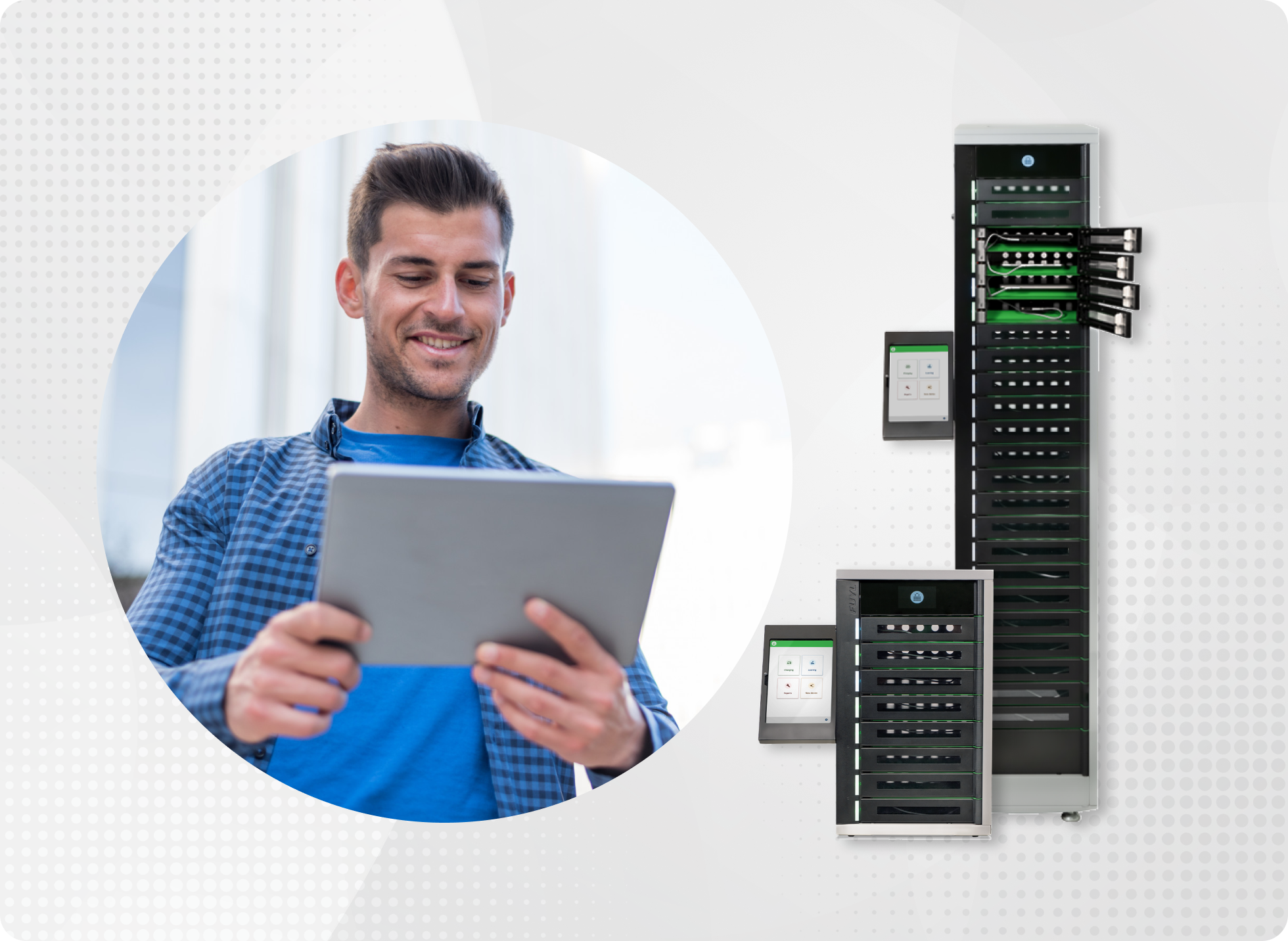
Smart iPad Charging Lockers for Libraries and Shared Spaces
-
Provide a consistent pickup/return process for shared environments with limited staffing.
-
Keep devices protected inside an iPad storage charging cabinet instead of carts or open shelves.
-
Reduce cable damage by standardizing how devices are stored and connected.
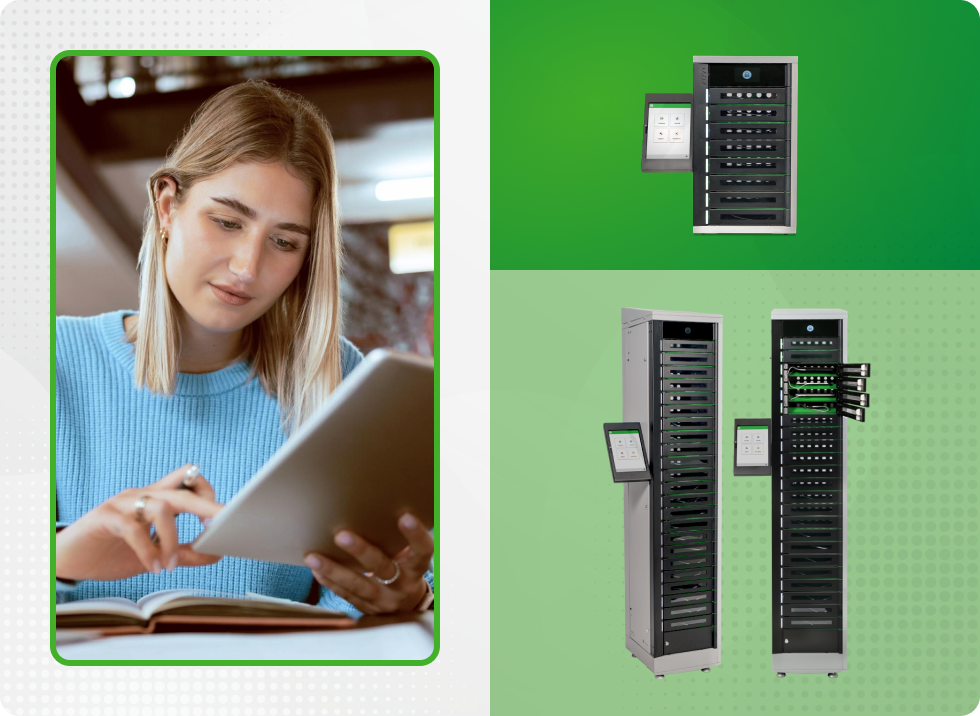
How iPad Charging Lockers Fit into Your Device Ecosystem
Lockers support stronger operations across the device program — not just charging.

Device lifecycle management
Fewer drops, fewer missing devices, better condition over time.

Device downtime reduction
Users can access charged devices on demand instead of waiting for staff availability.

Loaner programs
Lockers can support structured pickup/return workflows for spares and short-term swaps.

MDM compatibility
Lockers complement MDM by ensuring consistent charging and predictable device availability.

USB-C prewired options available
Save time setting up your Chromebook carts or stations by having it pre-wired with USB-C cables.

Smarter eco-friendly charging
EcoSafe and EcoSmart charging technology safely charges 20-40 Chromebooks without electrical overload or overconsuming energy.
Explore Products
Different environments call for different charging and storage approaches — especially when devices are shared, moved, or issued on a loaner basis.
iPad Charging Solutions
Fixed, in-room charging setups for spaces where devices are returned to the same location and readiness needs to be consistent day to day.
Charge, store, and secure 8-23 mobile devices.
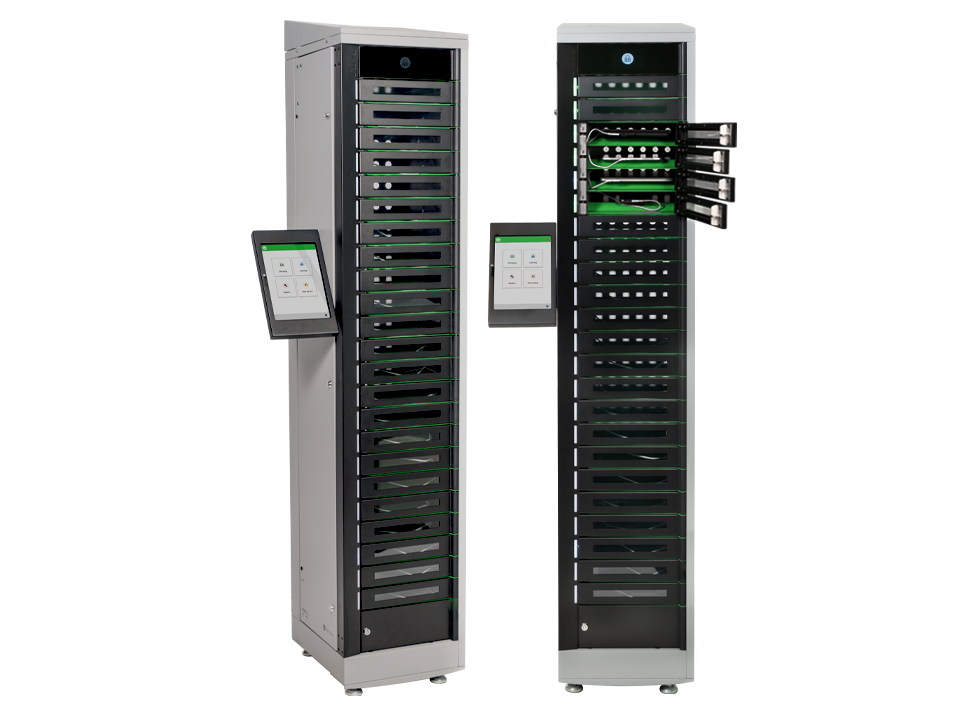
FUYL™ 23 Smart Locker
Tower Specs
75.6” (H) x 15.1” (W) x 17" (D) | 194 lbs
Bay Specs
1.69" (H) x 10.17” (W) x 15.23” (D) | 23 Bays per Smart Locker
Bay Power
One (1) 36W USB-C Power Delivery port per bay
Pre-wired with 500 mm tamper-resistant USB-C cable
Output power range: 5V 3A | 9V 3A | 12V 3A | 15V 2.25A | 20V 1.8A
Bay Access
Via the Kiosk App
Support Plans
Yes
Warranty
SKUs
Contact Us
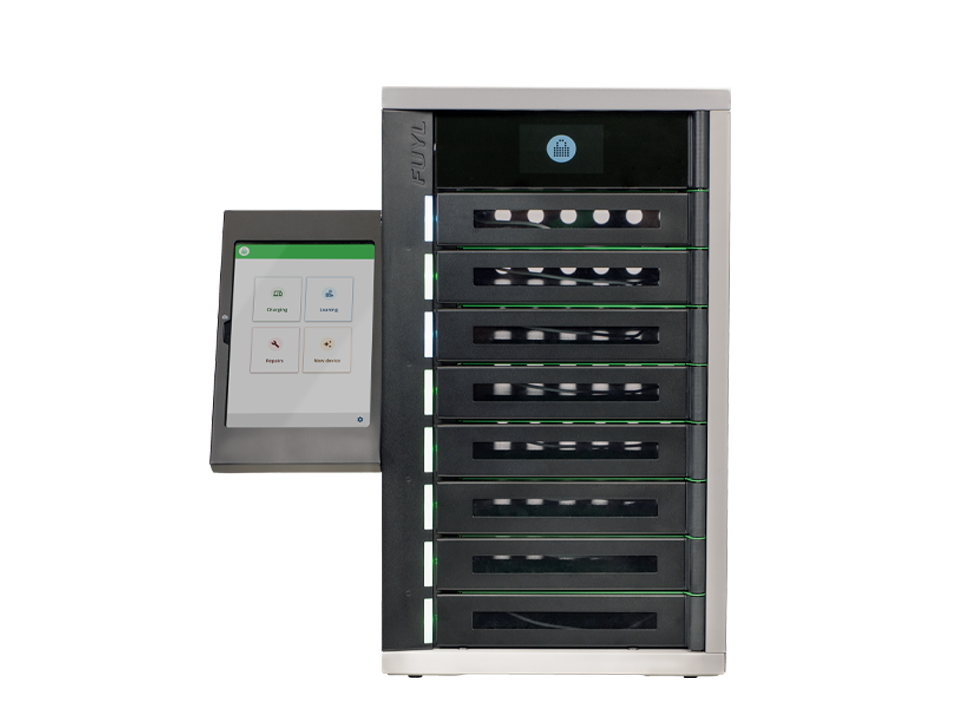
FUYL™ 8 Smart Locker
Tower Specs
26” (H) x 15.1” (W) x 17" (D) | 77 lbs
Bay Specs
1.69" (H) x 10.17” (W) x 15.23” (H) | 8 Bays per Smart Locker
Bay Power
One (1) 36W USB-C Power Delivery port per bay
Pre-wired with 500 mm tamper-resistant USB-C cable
Output power range: 5V 3A | 9V 3A | 12V 3A | 15V 2.25A | 20V 1.8A
Bay Access
Via the Kiosk App
Support Plans
Yes
Warranty
SKUs
Contact Us
Customer Stories
Hear the real-world experiences of our customers as they reflect on the impact our unique solutions have on improving efficiency for their organization.
How Joey Carts Help City View ISD Streamline Chromebook Charging
Discover how City View ISD uses LocknCharge Joey Carts to improve Chromebook charging, mobility, and classroom organization across their school district.
How Ogdensburg Simplified Device Loans and Exchanges with LocknCharge
See how Ogdensburg City School District partnered with Learn21 to automate and simplify device loan and exchange workflows using FUYL Smart Lockers from LocknCharge.
Como Primary Solves Charging Woes with CarryOn Station
Como Primary School streamlined shared device access with the ultra-portable CarryOn Charging Station — saving space, time, and student learning hours.